
HIPAA compliance in the cloud is a shared responsibility. Here's what you need to know:
- Cloud providers handle the "Security of the Cloud" (physical infrastructure, data centers, hardware).
- Healthcare organizations manage "Security in the Cloud" (patient data, access controls, encryption, application configurations).
- Signing a Business Associate Agreement (BAA) with your cloud provider is mandatory. Without it, storing ePHI violates HIPAA.
- Misconfigurations, weak access controls, or unencrypted data are the organization's responsibility - not the provider's.
- Tools like AWS, Azure, and Google Cloud offer HIPAA-eligible services, but these must be properly configured to meet compliance standards.
Key Actions for Healthcare Organizations:
- Use multi-factor authentication (MFA) and role-based access controls (RBAC).
- Encrypt data at rest (AES-256) and in transit (TLS 1.2 or higher).
- Regularly review and deactivate inactive user accounts.
- Conduct and document healthcare risk assessments annually or after major changes.
- Retain audit logs for at least six years.
Cloud Provider Responsibilities:
- Ensure physical security of data centers.
- Notify customers of breaches within 60 days.
- Provide tools like encryption and audit logs to assist compliance.
Compliance isn't automatic. Both cloud providers and healthcare organizations must actively fulfill their roles to protect ePHI and avoid penalties. By understanding these responsibilities and using the right tools, you can meet HIPAA standards in the cloud.

HIPAA Cloud Shared Responsibility Model: Provider vs Healthcare Organization Duties
What Cloud Providers Must Do for HIPAA Compliance
Core Duties of Cloud Providers
Cloud providers are responsible for securing the "Security of the Cloud" layer. This includes safeguarding physical data centers, hardware, networking equipment, and hypervisors that isolate customer workloads. Essentially, they ensure the physical infrastructure and core networking are protected [4][6][1].
On the physical security side, providers implement measures like facility access controls, locks, and surveillance systems. They also monitor their infrastructure continuously to detect potential threats and maintain platform stability [4][1].
Even when cloud providers store encrypted data without holding the decryption key, they are still considered HIPAA Business Associates. This classification requires them to adopt administrative safeguards for systems housing encrypted data, manage subcontractors handling ePHI through additional BAAs, and notify customers of breaches within 60 calendar days of discovery [2][7]. For breaches impacting 500 or more individuals, federal authorities and major media outlets must also be informed within the same timeframe [7].
To meet these standards, leading cloud providers build robust HIPAA compliance frameworks tailored to these requirements.
How AWS, Azure, and Google Cloud Handle HIPAA Requirements
The top three cloud providers - AWS, Azure, and Google Cloud - each offer HIPAA-eligible services, but their approach to compliance documentation varies.
- AWS provides its Business Associate Agreement (BAA) through AWS Artifact and publishes a detailed HIPAA Whitepaper.
- Microsoft Azure includes HIPAA terms in its Online Services Terms and offers the Azure HIPAA/HITRUST Blueprint.
- Google Cloud uses a Data Processing Amendment and provides the GCP HIPAA Implementation Guide [6].
All three providers undergo regular third-party audits to validate compliance, including certifications like SOC 2 Type II, ISO 27001 (Information Security Management), ISO 27017 (Cloud Security), and ISO 27018 (Cloud Privacy) [8]. Notably, Google Cloud has a security engineering team of over 700 people, which is often larger than most on-premises security teams [8]. Google also encrypts all customer content at rest by default and offers HIPAA-eligible services at no additional cost, unlike some providers that charge extra for these services [8].
While these providers offer robust HIPAA tools, healthcare organizations must actively incorporate them into their compliance strategies. Before deploying workloads containing PHI, organizations should verify that specific services - whether a database, AI tool, or storage option - are covered under the provider's BAA [8][6]. Features like encryption and audit logging may be available, but they need to be properly configured and enabled to ensure compliance [5][1].
sbb-itb-535baee
Understanding Shared Responsibility in Cloud Security
What Healthcare Organizations Must Do for HIPAA Compliance in the Cloud
Healthcare organizations have a responsibility to secure their data, applications, and user access when operating in the cloud. Even with a signed Business Associate Agreement (BAA), it's essential to actively configure security controls to protect electronic Protected Health Information (ePHI).
As the Department of Health and Human Services (HHS) points out:
"A CSP is not responsible for the compliance failures that are attributable solely to the actions or inactions of the customer." - HHS [2]
The Office for Civil Rights has taken action against entities that failed to safeguard ePHI stored in cloud environments. For example, one case involved ePHI for over 3,000 individuals being left unprotected on cloud servers. The takeaway? Compliance isn’t automatic - it requires intentional effort.
Access Controls and User Management
To maintain control over ePHI, healthcare organizations must ensure every user has a unique identifier. Shared login credentials are not acceptable. Each user account should be auditable and tied to a specific individual.
Multi-factor authentication (MFA) is a must for verifying user identities before granting access to ePHI. Role-based access control (RBAC) further limits access, ensuring users only see the information necessary for their job. For instance, a physician will need more access than a billing clerk.
Other critical steps include:
- Configuring cloud applications to terminate inactive sessions automatically.
- Establishing emergency access protocols to retrieve ePHI during outages.
- Regularly reviewing and promptly deactivating user accounts when employees leave.
Service accounts and their access keys also require strict oversight. PHI should never appear in metadata, such as project names or labels, as this could expose sensitive information in unencrypted logs.
Strong encryption measures complement these access controls, providing an additional layer of security for ePHI.
Encryption and Data Protection
Encryption is technically "addressable" under HIPAA, but in cloud environments, it’s practically mandatory. Both data at rest (stored) and data in transit (being sent across networks) must be protected.
For data at rest, Advanced Encryption Standard (AES) with a 256-bit key and FIPS 140-2 or 140-3 validated cryptographic modules is recommended. For data in transit, enforce TLS 1.2 or higher - ideally TLS 1.3 - and disable outdated ciphers to secure communications.
Using customer-managed encryption keys stored in hardware-backed Hardware Security Modules (HSMs) is another best practice. This approach separates control, ensuring no single administrator has access to both the encrypted data and the decryption keys. Organizations should regularly rotate encryption keys and act immediately if a key is compromised.
Encryption also offers a safeguard under HIPAA’s Breach Notification Rule. If ePHI is encrypted according to NIST standards and the keys remain secure, a data loss may not require reporting as a breach.
Configuring Applications for HIPAA Compliance
Even with access controls and encryption in place, proper application configuration is the final piece of the compliance puzzle.
As Schellman explains:
"Compliance comes not from having a certain kind of technology or platform, but rather from configuring the platform in the appropriate ways." - Schellman [9]
Before deploying any cloud services involving PHI, confirm they are covered under your provider’s BAA. Avoid using cloud products that aren’t explicitly included.
Audit logging is another critical step. Tools like AWS CloudTrail, Azure Monitor, and Google Cloud Audit Logs allow organizations to track who accessed PHI, when, and what actions they took. HIPAA requires retaining these logs for up to six years.
Regularly test automated backup solutions and recovery procedures - at least twice a year - to ensure contingency plans work. When migrating databases, use private IP connectivity to avoid exposing PHI to the public internet.
A real-world example highlights the risks of poor configuration. A pediatric clinic moved patient billing records to an AWS S3 bucket with a signed BAA. However, they failed to set access restrictions or conduct a risk analysis, leaving the bucket publicly accessible and unencrypted. After a patient complaint, the Office for Civil Rights fined the clinic $150,000 and required corrective actions, including MFA, encryption, and staff training.
| Configuration Task | Implementation Step | HIPAA Reference |
|---|---|---|
| Access Control | Implement IAM roles, MFA, and least privilege | 45 CFR 164.312(a)(1) |
| Encryption | Enable AES-256 for data at rest and TLS 1.2+ for transit | 45 CFR 164.312(a)(2)(iv) |
| Audit Logging | Activate CloudTrail/Sentinel/BigQuery for activity review | 45 CFR 164.312(b) |
| Integrity | Use File Integrity Monitoring to detect changes | 45 CFR 164.312(c)(1) |
| Transmission | Use VPNs or private connectivity for admin access | 45 CFR 164.312(e)(1) |
To simplify compliance monitoring, tools like AWS Config Rules or Azure Policy can quickly identify misconfigurations. These tools help maintain security without slowing down clinical workflows, ensuring staff have timely access to patient information.
Business Associate Agreements and Shared Responsibility
Before transferring electronic Protected Health Information (ePHI) to a cloud environment, a signed Business Associate Agreement (BAA) is mandatory. Without one, you're looking at a clear HIPAA violation [2]. The BAA lays out the legal responsibilities between the covered entity and the cloud service provider (CSP), but don't mistake signing it as a free pass to compliance.
The Office for Civil Rights (OCR) has made it clear: a CSP is accountable for securing ePHI under the Security and Breach Notification Rules [2]. And the consequences for not having a BAA in place can be costly. The Department of Health and Human Services (HHS) has issued fines ranging from $31,000 to over $1.5 million for such failures [12]. One notable case involved a covered entity storing ePHI for more than 3,000 individuals on cloud servers without a BAA, which triggered enforcement action by the OCR [2].
What to Include in a BAA
A well-constructed BAA is more than a formality; it’s a blueprint for compliance. Here's what it needs to cover:
- Permitted Uses and Disclosures: Clearly outline how PHI can be used and prohibit unauthorized sharing.
- Safeguards: The cloud provider must commit to implementing administrative, physical, and technical protections [10][12].
- Breach Notifications: The CSP must promptly report any unauthorized use or disclosure of PHI. Setting a specific timeframe, like 10 days, ensures the healthcare organization can meet its own regulatory deadlines [10][12].
- Subcontractor Obligations: If third parties handle PHI, they must adhere to the same restrictions as part of a strategy to effectively manage third-party risk.
- PHI Return or Destruction: Upon contract termination, the CSP must return or destroy all PHI when feasible.
- HHS Access: The agreement should allow HHS to audit the CSP’s practices, records, and books for compliance [10][12].
Even if a CSP uses "no-view" encrypted services, their HIPAA responsibilities remain intact [11].
Gil Vidals, CEO of HIPAA Vault, underscores the importance of the BAA:
"The BAA is your first line of defense against HIPAA violations." - Gil Vidals [12]
While the BAA addresses legal compliance, Service Level Agreements (SLAs) often focus on technical specifics like uptime, backup procedures, and data return formats [3]. Regularly reviewing and updating your BAA - at least annually or whenever regulations change - is a smart move [12].
Responsibility Differences Across IaaS, PaaS, and SaaS
Cloud service models - Infrastructure-as-a-Service (IaaS), Platform-as-a-Service (PaaS), and Software-as-a-Service (SaaS) - come with varying levels of responsibility. Knowing these distinctions is key to managing compliance effectively.
- IaaS (e.g., AWS EC2): You handle almost everything above the physical hardware, including patching the operating system, configuring network controls, securing applications, and managing encryption [4][6].
- PaaS (e.g., AWS RDS): The provider takes care of the operating system and runtime environment. However, you're still responsible for application logic, data encryption, and access controls [4][6].
- SaaS (e.g., telehealth applications): The provider manages most technical aspects, such as application security and infrastructure. Still, you retain responsibility for customer data, identity management, and access controls [4][6].
| Responsibility Area | IaaS | PaaS | SaaS |
|---|---|---|---|
| Physical Security | Cloud Provider | Cloud Provider | Cloud Provider |
| Operating System | Customer | Cloud Provider | Cloud Provider |
| Network Controls | Customer | Shared | Cloud Provider |
| Applications | Customer | Shared | Shared |
| Customer Data | Customer | Customer | Customer |
| Identity & Access | Customer | Customer | Customer |
Before rolling out any cloud service, confirm its HIPAA eligibility under your provider’s BAA. Major providers like AWS, Azure, and Google Cloud don’t automatically cover all their services under HIPAA [1][6]. Your BAA should clearly define which party is responsible for specific security controls across all service models to ensure compliance [3][11].
How to Implement HIPAA Safeguards in the Cloud
To meet HIPAA requirements in cloud environments, healthcare organizations must address three key safeguard categories: administrative, physical, and technical. Each plays a distinct role in ensuring compliance and protecting electronic protected health information (ePHI).
Administrative Safeguards
Administrative safeguards are the backbone of cloud compliance. Start by conducting a detailed risk analysis to identify vulnerabilities in your cloud setup. Training your workforce on cloud-specific risks, such as phishing attacks and misconfigured storage, is equally important [13][2].
Set up documented data backup and disaster recovery plans tailored to cloud workloads, and test these plans at least twice a year to confirm they work [5]. Automate cloud backups and ensure your Service Level Agreement (SLA) outlines system availability, data recovery timelines, and the process for retrieving data if you terminate the service [13].
Regularly review cloud logs - like AWS CloudTrail - to monitor access to ePHI and detect unauthorized activity early. These logs should be retained for at least six years [6]. With these measures in place, it’s time to focus on physical security.
Physical Safeguards
Physical safeguards are handled differently in the cloud. Since you can’t secure the cloud provider’s (CSP) physical servers, you must rely on "satisfactory assurances" through your Business Associate Agreement (BAA). Review third-party audit reports, such as SOC 2 Type II or ISO 27001, to confirm the CSP’s data center security [2][8]. Request updated certificates periodically to ensure their controls remain effective [8].
"A CSP is not responsible for the compliance failures that are attributable solely to the actions or inactions of the customer." - HHS Guidance [2]
While the CSP manages its data centers, you are responsible for securing workstations and devices. This includes using automatic logoffs, preventing screen visibility to unauthorized individuals, and physically securing devices [14]. For mobile devices accessing ePHI, use Mobile Device Management (MDM) to enforce encryption and enable remote-wipe features [2]. Properly wipe data from devices like laptops or smartphones before disposal [14].
Keep a detailed inventory of all hardware accessing your cloud environment, tracking their movement both inside and outside your facility [14].
Technical Safeguards
Technical safeguards are essential for protecting ePHI from unauthorized access or tampering. Start with access control by assigning unique user IDs, enforcing automatic logoffs for inactive sessions, and using Identity and Access Management (IAM) tools to set role-based permissions [15]. Apply the principle of least privilege, ensuring users only access the ePHI they need [13].
Use AES-256 encryption for data at rest and TLS 1.3 for data in transit [7]. Manage encryption keys yourself through customer-managed encryption keys (CMEK) stored in hardware-backed Hardware Security Modules (HSMs) [8][7].
Enable Multi-Factor Authentication (MFA) for all users, especially administrators, to prevent unauthorized access from compromised credentials [7]. For high-risk administrative tasks, consider Just-in-Time (JIT) access instead of permanent permissions [7].
Audit controls are critical. Record and analyze activity in systems containing ePHI, and export these logs to a centralized Security Information and Event Management (SIEM) system for long-term analysis [8][7]. Avoid including PHI in resource names or metadata, as this information can appear in logs accessible to users with lower-level permissions [8].
Finally, document everything - cloud configurations, risk assessments, and corrective actions. This documentation is essential for demonstrating compliance during OCR audits. Remember, HIPAA requires you to retain documentation for at least six years from its creation or last effective date [15][7].
Tools and Methods for Managing HIPAA Compliance in the Cloud
Once the administrative, physical, and technical safeguards are in place, maintaining HIPAA compliance in the cloud requires structured tools and ongoing processes. This isn’t a one-and-done task - healthcare organizations need to focus on continuous monitoring, regular risk assessments, and well-defined incident response plans.
Conducting Regular Risk Assessments
Risk analysis plays a key role in staying compliant with HIPAA standards. The HHS Office for Civil Rights emphasizes:
"Conducting a risk analysis is the first step in identifying and implementing safeguards that comply with and carry out the standards and implementation specifications in the Security Rule" [16].
These assessments should be performed annually or anytime there’s a major change - whether it’s a new technology, a shift in operations, or a change in ownership [16].
A good starting point is the guidance in NIST Special Publication 800-30, which explains that risk is a combination of the likelihood of a threat exploiting a vulnerability and the potential impact. For smaller organizations, the HIPAA Security Risk Assessment (SRA) Tool - developed by the ONC and OCR - offers a practical way to identify risks to electronic protected health information (ePHI) [16]. Make sure your risk assessment covers all ePHI your organization handles, whether it’s stored on cloud servers or portable devices [22, 3].
It’s important to remember that risk assessment is a shared responsibility between your organization and your Cloud Service Provider (CSP) [8]. For example, you can export cloud audit logs to long-term storage solutions like Cloud Storage or analytical tools like BigQuery for ongoing monitoring. Additionally, review your CSP's certifications, such as SOC 2, ISO 27001, and FedRAMP, and maintain administrative safeguards even if your CSP uses encryption [9, 3].
Specialized tools can make this process more efficient and manageable.
Using Censinet RiskOps™ for Cloud Compliance
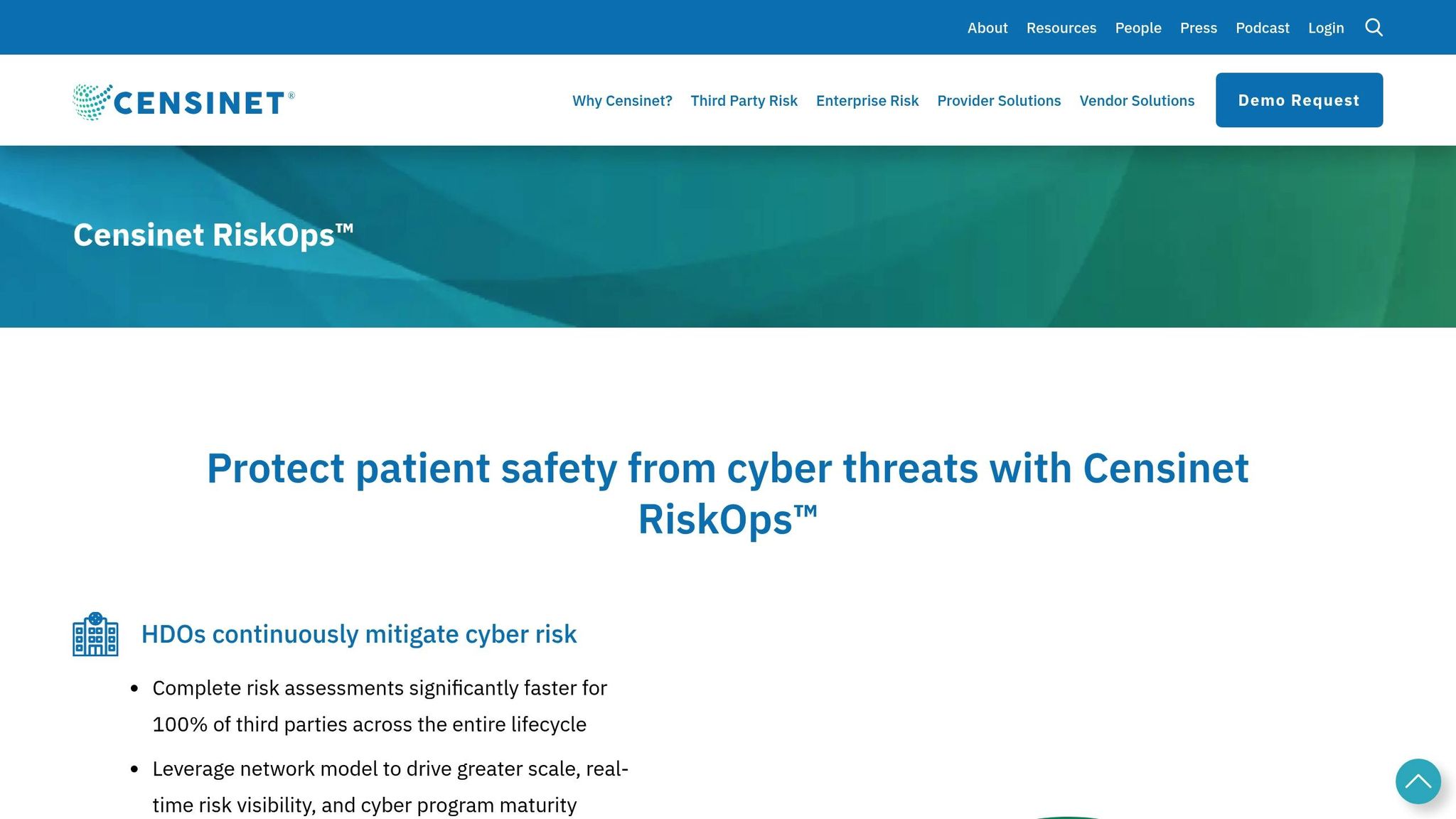
Managing compliance across multiple cloud vendors and third-party services can quickly become overwhelming. Tools like Censinet RiskOps™ simplify the process by centralizing third-party risk assessments, cybersecurity benchmarks, and collaborative risk management. With the help of Censinet AI™, vendors can complete security questionnaires faster, while the system automatically summarizes vendor documentation, highlights product integration details, and generates detailed risk reports. This approach combines automation with human oversight, speeding up the risk assessment process while ensuring accuracy.
For cloud compliance, Censinet RiskOps™ provides a single platform to aggregate risk data and assign tasks through customizable workflows. A real-time dashboard offers a clear view of risks across your cloud environment, making it easier to manage and mitigate issues.
Creating Incident Response Plans
In addition to risk assessments and tools, having a strong incident response plan is a must. HIPAA mandates a documented plan for identifying, addressing, and recording security incidents [2]. An effective plan typically includes four phases: Preparation, Detection and Analysis, Containment/Eradication/Recovery, and Post-Incident Activity [23, 24].
Start by clearly defining roles and responsibilities in your Business Associate Agreement (BAA) and Service Level Agreement (SLA). These documents should outline which incidents are handled by your CSP and which are your responsibility [3, 7]. The BAA should also require your CSP to document security incidents, notify you of breaches involving unsecured PHI, and implement appropriate policies. As the HHS notes:
"A business associate CSP must implement policies and procedures to address and document security incidents, and must report security incidents to its covered entity or business associate customer" [2].
Respond to incidents promptly - within one hour, if possible [17]. Establish a Breach Analysis Team (BAT) that includes security, privacy, and business experts to assess potential breaches involving PII or PHI [23, 24]. To ensure readiness, test your incident response plan annually with drills or tabletop exercises, and train your staff on their roles within a month of assuming incident response duties and annually thereafter [23, 24].
Lastly, confirm that your CSP uses AES-256 encryption for data at rest and TLS 1.2 or higher for data in transit. If ePHI is encrypted to HHS standards, you may qualify for a "safe harbor", which could exempt you from breach notification requirements [2]. Keep audit logs of PHI access and security events for at least six years, and maintain an up-to-date inventory of all cloud systems handling PHI to streamline detection and containment efforts [7, 23].
Conclusion
When it comes to HIPAA compliance in the cloud, you can't simply hand off responsibility to your service provider. The shared responsibility model makes one thing crystal clear: while cloud providers handle the security of the infrastructure, it's up to healthcare organizations to protect their data. Missteps - like leaving storage buckets open to the public or neglecting to encrypt sensitive information - are common culprits behind violations.
Compliance isn't a one-and-done task. It's an ongoing process that demands constant attention and active management. While signing Business Associate Agreements (BAAs) is a must, they don’t automatically ensure compliance. You still need to implement safeguards like multi-factor authentication and AES-256 encryption, conduct regular risk assessments, and keep audit logs for at least six years[6]. Your specific responsibilities will depend on whether you're using IaaS, PaaS, or SaaS, but one thing stays the same: protecting your data is always your job[4].
To make this process more manageable, tools like Censinet RiskOps™ can help streamline vendor and cloud management. With features like centralized risk assessments, automated monitoring, and real-time dashboards, they simplify the compliance journey. Meanwhile, Censinet AI™ speeds up vendor questionnaires and generates detailed risk reports, allowing your team to focus on critical security tasks.
Ultimately, achieving HIPAA compliance in the cloud means knowing what falls under your control and taking full responsibility for it. Actively managing tasks like encrypting PHI, auditing configurations, training staff, and testing incident response plans is essential. The cloud can provide strong security benefits - but only if you're diligent about managing your end of the deal.
FAQs
Which cloud services are actually covered under my provider’s BAA?
Cloud services that fall under your provider's BAA usually include those labeled as HIPAA-eligible. Examples include Amazon Web Services (AWS), Microsoft Azure, and Google Cloud Platform. These platforms have met compliance standards and signed BAAs, enabling them to manage electronic protected health information (ePHI). However, it's crucial to double-check which specific services are included in your provider's agreement.
What are the most common cloud misconfigurations that cause HIPAA violations?
When it comes to cloud security, certain missteps can lead to trouble with HIPAA compliance. Some of the most frequent issues include:
- Weak access controls: Without proper restrictions, unauthorized users may gain access to sensitive patient information. This creates a significant risk for data breaches.
- Improper data encryption: If data isn't encrypted correctly - both at rest and in transit - it becomes vulnerable to interception or theft.
- Lack of regular risk assessments: Skipping routine evaluations can allow unnoticed vulnerabilities to persist, leaving systems exposed to potential threats.
These misconfigurations not only put patient data at risk but also open the door to breaches and HIPAA non-compliance, which can have serious consequences for healthcare organizations.
When does encrypted ePHI qualify for HIPAA breach “safe harbor”?
When electronic protected health information (ePHI) is encrypted following the methods outlined in the HIPAA Security Rule - like using AES-256 encryption - it qualifies for HIPAA breach "safe harbor." This means that even if the data is accessed, it remains unreadable and unusable as long as the decryption keys are kept secure and out of reach of unauthorized individuals.
