
When storing Protected Health Information (PHI) in the cloud, HIPAA audit logs are essential for compliance. These logs track who accessed data, what actions were performed, and when events occurred. HIPAA mandates strict controls, such as logging, encryption, and access restrictions, to ensure PHI is secure and traceable.
Key takeaways:
- What to Log: User actions (read, write, delete), timestamps, IP addresses, and configuration changes.
- Retention: Logs must be kept for at least 6 years and remain tamper-proof.
- Shared Responsibility: Cloud providers secure infrastructure; you configure and monitor logging for PHI.
- Best Practices: Use encryption (AES-256), object locking (WORM), and centralized logging tools like SIEM for effective monitoring.
- Testing & Validation: Regularly test logging setups and simulate incidents to ensure forensic readiness.
HIPAA Audit Log Requirements for Cloud Storage
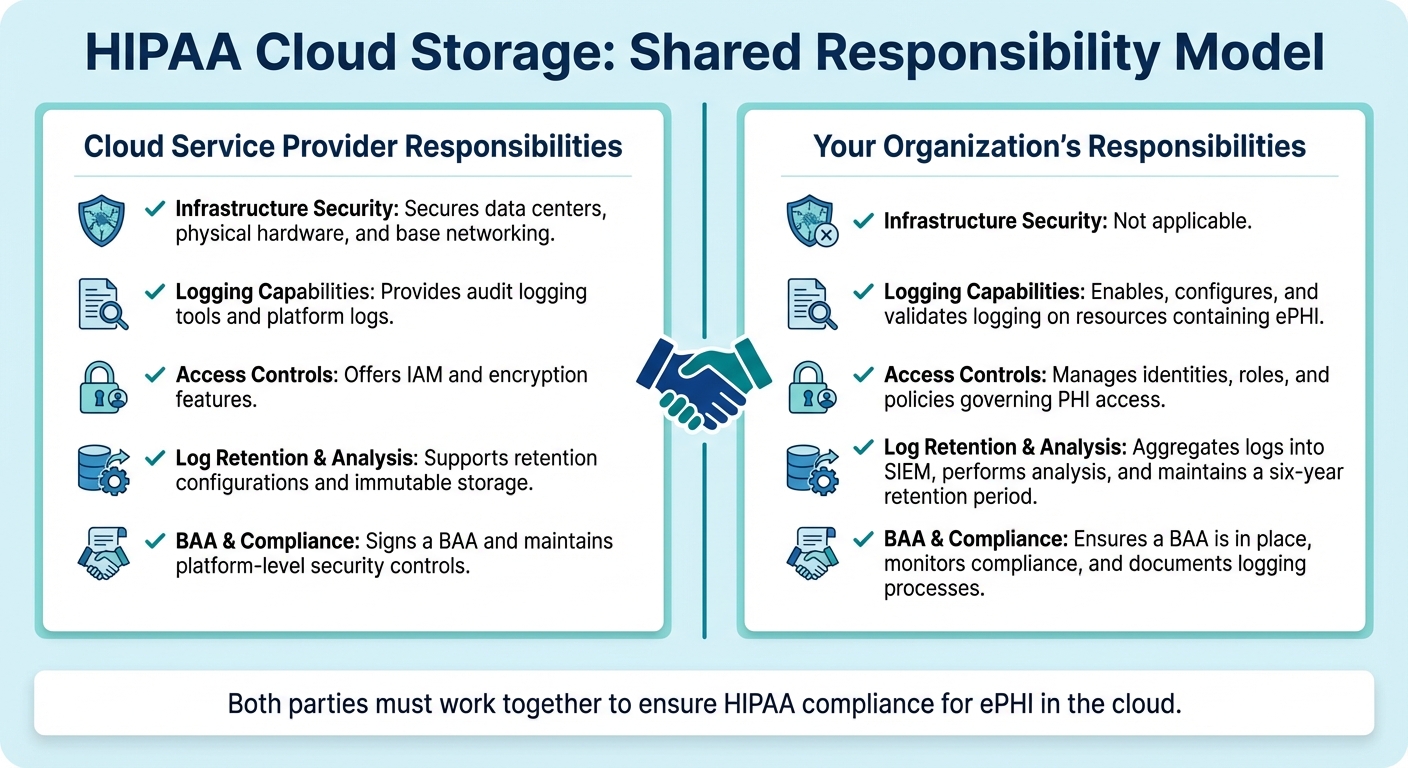
HIPAA Cloud Storage Shared Responsibility Model for Audit Logging
The HIPAA Security Rule's audit controls standard (45 C.F.R. § 164.312(b)) requires covered entities and business associates to have mechanisms - whether hardware, software, or procedural - that log and examine activity in systems handling ePHI. When using cloud storage for PHI, it’s crucial to implement logging that tracks user actions, identities, and any changes to security configurations. Below, we’ll break down what needs to be logged, how long to retain these logs, and how responsibilities are divided between you and your cloud provider.
What to Log
When logging, focus on capturing key details like user identity, action type (read, write, delete), timestamps, source IP addresses, and any configuration changes. It’s also important to record control-plane events such as updates to IAM roles, bucket policies, encryption settings, and lifecycle rules. Additionally, log emergency or privileged access events to maintain strict oversight.
Privileged access events, in particular, demand close attention. This includes tracking break-glass accounts, elevated access sessions, and administrative API usage. Forwarding these control-plane events from your cloud provider’s native audit service to a central repository ensures you have a complete record of activities involving your cloud storage that contains PHI.
Retention and Tamper-Evidence Requirements
HIPAA requires that audit logs are retained for at least six years from their creation date or the last date they were in effect, whichever is later [1]. For cloud storage, this means configuring lifecycle policies to keep logs for the required period and ensuring they cannot be modified or deleted. Regulators also stress that logs must be immutable and tamper-evident to be considered reliable for compliance and forensic purposes.
"Technology used for ePHI must record all actions related to electronic health information without allowing these records to be altered, overwritten, or deleted." - HealthIT.gov
To meet immutability standards, consider using write-once, read-many (WORM) storage solutions, object lock features, or retention policies that prevent changes during the retention period. Enabling versioning on log buckets can also safeguard original records by creating new versions if someone attempts to make changes. Additionally, restrict administrative access to log storage using least-privilege IAM roles to protect the integrity of your logs. Missing or incomplete logs could lead regulators to assume non-compliance, which could result in hefty penalties. Clearly defining roles and responsibilities, as outlined below, is crucial for effective oversight.
Shared Responsibility With Cloud Providers
In cloud environments, maintaining HIPAA compliance requires a clear division of responsibilities. Under the shared responsibility model, cloud service providers typically handle the security of the underlying infrastructure - like data centers, physical hardware, and base networking. Meanwhile, your organization is responsible for security within the cloud, including configuring logging, managing access controls, and ensuring log retention.
Make sure your cloud provider signs a Business Associate Agreement (BAA) that outlines roles for logging, access, breach notifications, and data protection. This agreement should specify which party is responsible for configuring and monitoring native logging services and who maintains centralized log archives. Proper documentation of these responsibilities ensures comprehensive oversight.
| Responsibility Area | Cloud Service Provider | Your Organization |
|---|---|---|
| Infrastructure Security | Secures data centers, physical hardware, and base networking. | Not applicable. |
| Logging Capabilities | Provides audit logging tools and platform logs. | Enables, configures, and validates logging on resources containing ePHI. |
| Access Controls | Offers IAM and encryption features. | Manages identities, roles, and policies governing PHI access. |
| Log Retention & Analysis | Supports retention configurations and immutable storage. | Aggregates logs into SIEM, performs analysis, and maintains a six-year retention period. |
| BAA & Compliance | Signs a BAA and maintains platform-level security controls. | Ensures a BAA is in place, monitors compliance, and documents logging processes. |
Mapping Cloud Storage Logs to HIPAA Requirements
Types of Logs and Their Purpose
Cloud environments generate various logs that track activities involving electronic protected health information (ePHI). Storage access logs focus on object-level operations, recording every read, write, or delete action performed on files containing PHI. These logs serve as your primary evidence whenever a patient record stored in the cloud is accessed. Cloud audit trails document configuration changes, such as updates to IAM roles, bucket policies, or encryption settings, helping you track modifications to security controls protecting PHI. Meanwhile, application and database logs capture interactions between your healthcare apps and ePHI, including API calls, database queries, and user sessions. Together, these logs provide a comprehensive view of who accessed PHI, what actions were taken, and whether any security settings were altered.
Enabling and Validating Cloud Logging
Activating comprehensive logging requires specific steps tailored to each cloud provider:
- AWS: Enable CloudTrail organization-wide and activate data events for S3 buckets containing PHI, as the default settings only capture management events. Route these logs to a dedicated, secured logging bucket. For additional detail, enable S3 server access logs. Test your setup by performing operations on a PHI file and confirming that logs accurately capture the user, timestamp, action, resource, and IP address [3].
- Azure: Configure diagnostic settings on storage accounts to log StorageRead, StorageWrite, and StorageDelete events. Direct these logs to Log Analytics, an Event Hub, or a storage account for retention. Additionally, enable Azure Activity Logs at the subscription level to track control-plane changes. Validate by performing test operations and checking that all necessary HIPAA fields appear in the logs at your selected destination [4].
-
Google Cloud: Ensure Cloud Audit Logs are enabled for Cloud Storage, including Data Access logs (DATA_READ and DATA_WRITE), which may be disabled by default for certain services. Set up log sinks to export data to Cloud Storage buckets or BigQuery for long-term retention and analysis. Test by accessing and modifying test objects, then verify that
storage.objects.*entries are recorded in Cloud Audit Logs and exported correctly [3].
These steps ensure your logging setup is complete and ready for integration into a centralized system.
Centralized Logging for Compliance
Centralizing logs from all sources into a SIEM or log management platform is key to transforming raw data into actionable compliance insights. A centralized system allows you to correlate storage, IAM, and application logs to reconstruct user sessions. You can create correlation rules to flag suspicious activities, such as mass downloads from PHI buckets, access from unusual locations, repeated failed login attempts, or changes to bucket ACLs or public access settings [1][2].
Additionally, schedule regular access review reports summarizing who accessed PHI-containing buckets, from where, and for what purpose. These reports not only fulfill HIPAA's periodic review requirements but also streamline incident investigations. When integrated with tools like Censinet RiskOps™, centralized logging becomes an essential part of a broader strategy to manage cloud storage risks and protect patient data effectively.
Implementing Secure Audit Log Collection and Storage
Securing Log Transmission and Storage
When it comes to safeguarding log data, the first step is ensuring all log entries are encrypted during transmission. For example, if you're forwarding logs from AWS CloudTrail, Azure Diagnostics, or Google Cloud Audit Logs, always configure them to use TLS encryption. Avoid outdated protocols like plain-text UDP syslog, as these can leave sensitive logs - especially those containing PHI - vulnerable to interception or tampering. Disabling such insecure protocols is a must for systems handling ePHI audit trails.
On the storage side, enforce AES-256 encryption for all server-side storage. Use customer-managed encryption keys and implement strict rotation policies along with tight access controls. Access to decryption keys should be limited to a handful of authorized personnel through role-based access control (RBAC). This ensures no single individual has the authority to both generate and delete log entries. To further reduce risks, store logs in a separate location from production data and apply explicit deny rules to block any public or anonymous access.
Once transmission is secure, the focus shifts to preserving the integrity of log records.
Ensuring Log Immutability
To comply with HIPAA's audit trail requirements, log records must be tamper-evident, meaning any changes or deletions should be detectable. One way to achieve this is by enabling object lock or write-once-read-many (WORM) policies on cloud storage buckets. These settings prevent modifications or premature deletions of log files. Additionally, configure retention policies to meet HIPAA’s six-year minimum requirement. Actions like "suspend retention" or "bypass governance" should be restricted to a small group of emergency (break-glass) roles, with strong approval workflows and dedicated audit trails in place.
To verify immutability, use SHA-256 checksums for each log file. Store these hash values in a separate, secure location, and automate regular integrity checks. This involves re-hashing archived logs and comparing the results to the original stored values. If any discrepancies arise, alerts should be triggered immediately, prompting an investigation. Missing or incomplete logs can lead to regulatory assumptions of non-compliance, so maintaining their integrity is critical.
Designing Tiered Storage Solutions
After securing and ensuring the integrity of your logs, it’s time to optimize storage for both cost and accessibility. A tiered storage approach works well:
- Hot storage: Keep 30–90 days of logs here for quick access.
- Warm storage: Move older logs to this tier for compliance reviews and periodic audits.
- Cold storage: Logs older than a year can be archived in cost-efficient solutions like glacier tiers, where retrieval times are slower but storage costs are significantly lower.
Automate these lifecycle transitions and set alerts (e.g., at 80% capacity) to avoid running out of storage. To ensure reliability, use cross-region replication or multi-availability-zone redundancy across all storage tiers. Regularly test disaster recovery processes with restore drills to confirm that logs remain accessible throughout HIPAA’s six-year retention period. This guarantees you’re prepared for both compliance and unexpected outages.
sbb-itb-535baee
Setting Up Continuous Monitoring and Review Processes
Defining Baseline Activity and Alerts
To identify unusual activity in your cloud storage, you first need to establish what "normal" looks like. Start by documenting your organization's typical access patterns. For instance, many U.S. healthcare organizations experience most activity during standard business hours, roughly 7:00 a.m. to 7:00 p.m. Track key metrics like regular file read/write volumes, roles involved in bulk operations, and common access points such as corporate networks or approved VPNs.
Once you've defined these baselines, set up real-time alerts for potential HIPAA violations. Pay close attention to high-risk scenarios, including multiple failed login attempts, access from foreign locations where your organization doesn't operate, off-hours access from unfamiliar devices, bulk downloads or mass deletions of PHI files, and changes to access control or encryption settings. The trick is in fine-tuning alerts - adjust thresholds based on actual risks and observed behaviors to avoid drowning in false positives. Keep in mind that incomplete or missing audit logs can lead regulators to assume noncompliance. In fact, the HHS Phase 2 Audit Protocol specifically checks whether covered entities regularly review system activity logs.
With your baselines and alert thresholds in place, the next step is to establish a structured review process.
Log Review Workflows
Organize your log reviews into tiers for better efficiency:
- Daily reviews: Focus on critical security alerts related to ePHI access, such as failed logins, suspicious geolocation activity, unauthorized access attempts, and significant data transfers. Also, confirm that your log collection systems are functioning properly without gaps or failures.
- Weekly reviews: Examine emergency access events to PHI and adjust alert rules based on new insights.
- Monthly or quarterly reviews: Conduct broader audits of cloud storage configurations, including bucket policies, file-sharing permissions, and cross-account access. Summarize findings, incidents, and remediation actions in written reports for compliance documentation.
Assign clear roles for each review tier. Privacy and compliance officers should handle incidents involving PHI and determine if they need to be reported under HIPAA breach notification rules. Security teams should investigate alerts, while risk management and internal audit teams ensure reviews happen on schedule and corrective actions are tracked. Define an escalation matrix so high-severity alerts automatically notify key personnel like the privacy officer and CISO, and specify which events trigger a full incident response.
These review workflows dovetail with your broader risk management strategy, reinforcing HIPAA compliance while improving your overall security posture.
Integrating Monitoring With Risk Management Platforms
To make your monitoring efforts more actionable, integrate cloud storage monitoring with a unified risk management platform. Tools like Censinet RiskOps™ are tailored for healthcare, linking storage-level security events - such as misconfigured cloud buckets or unusual access patterns - directly to specific vendors, applications, or business processes. This approach streamlines root-cause analysis, enhances risk attribution, and tracks incidents and remediation tasks within an auditable risk register. By centralizing policies, procedures, and evidence, platforms like this ensure that cloud storage monitoring becomes an integral part of your overall compliance program.
"Censinet RiskOps allowed 3 FTEs to go back to their real jobs! Now we do a lot more risk assessments with only 2 FTEs required." - Terry Grogan, CISO, Tower Health
Validating and Documenting Cloud Storage Monitoring Practices
Once you've ensured secure log collection, the next step is to validate your setup and document your monitoring practices to meet HIPAA compliance requirements.
Testing Logging Configurations
Simply enabling logging isn’t enough - you need to confirm it works as intended. Start by generating test events to ensure they appear in your logs. For example, create a test file containing mock PHI, then access it using various accounts and locations, modify its permissions, and delete it. Check that your logs capture critical details like timestamps, user identities, source IP addresses, action types, and the specific object or bucket involved.
Make sure logs are securely transmitted and stored with encryption in tamper-evident systems, as outlined earlier. Verify that your centralized logging platform receives all events without any gaps or delays. Automated tools can help by comparing the number of expected events to those received, flagging any missing logs before auditors do. Document the results of your tests, note any corrections made, and repeat the process whenever significant changes occur in your cloud setup, applications, or configurations. Once validation is complete, run incident simulations to confirm your forensic readiness.
Simulating Incidents for Forensics
Run realistic incident simulations, such as a suspected PHI exfiltration, to test your forensic capabilities. Walk your IT, security, privacy, and compliance teams through scenarios to determine which logs they would need, how they would correlate cloud provider audit logs with application and identity logs, and how quickly they could identify whether PHI was accessed.
Make these simulations an annual practice. For example, simulate insider misuse by testing abnormal PHI download patterns, then confirm that your logging and monitoring systems detect the activity, flag it, and allow you to trace who accessed the data, when, from where, and how often. After each simulation, conduct a forensic review meeting where team members rely solely on retained logs to answer key questions about the scope, timeline, impacted records, and responsible accounts. Use these reviews to identify and address any gaps in your logging setup. Finally, document all findings and the steps taken to resolve any issues.
Documenting Logging and Monitoring Processes
HIPAA audits place heavy emphasis on having clear, written policies and procedures that demonstrate how you manage audit controls for systems containing ePHI. Auditors typically expect a detailed inventory of all cloud storage services, accounts, and regions where ePHI is stored, including any third-party integrations. They also require documentation of your logging configurations for each service - what events are logged, where logs are sent, how they’re protected, and how failures in logging are monitored. Additionally, procedures for routine log reviews, alert triage, escalation, and incident response (including roles, schedules, and sample reports or dashboards) should be outlined.
Prepare a comprehensive audit package that includes details on logging configurations, retention policies, and access controls. Preserve evidence of your processes, such as reviewed log samples, ticketing system records from investigations, reports from periodic control tests, and records from tabletop exercises. Keep in mind that incomplete logs can lead to hefty fines, as investigators may assume violations in areas where documentation is missing.
Conclusion
To implement HIPAA audit logging effectively, focus on secure configurations, continuous monitoring, and thorough documentation. Keep PHI and audit log storage private, protected with MFA, and encrypted using customer-managed keys. Use object locking (append-only storage) and regularly verify logging configurations to maintain a strong foundation for continuous monitoring.
Set up real-time alerts for unusual activities like bulk downloads, after-hours access, or unauthorized changes. Integrate these alerts into structured workflows with clear roles and schedules. Test your incident response plan by simulating breaches to ensure you can trace activities from start to finish using your retained logs. This level of preparation can make a critical difference in containing incidents quickly and avoiding drawn-out investigations.
Alongside secure setups and active monitoring, ensure your team is ready to act swiftly in case of an incident. Platforms like Censinet RiskOps™ can help healthcare organizations simplify compliance and risk management, especially when dealing with complex vendor ecosystems and multi-cloud environments. This platform enables healthcare providers to address risks tied to patient data, PHI, clinical applications, and third-party vendors through a collaborative network tailored for healthcare.
"Not only did we get rid of spreadsheets, but we have that larger community [of hospitals] to partner and work with."
– James Case, VP & CISO at Baptist Health
Organizations with limited resources can still achieve compliance by starting small. Enable native cloud logging, set up basic alerts, and implement a simple review schedule. Document every configuration change, alert investigation, and periodic control test. Keep evidence of these practices readily available for auditors. According to HHS guidance, storing ePHI in the cloud is acceptable when safeguards like Business Associate Agreements, encryption, and audit trails are in place.
As your infrastructure evolves, so should your monitoring practices. Regularly validate configurations, update documentation after major changes, and conduct yearly incident simulations to identify and address potential gaps before auditors do. Treat audit logging as a continuous risk management effort rather than a one-time task. This approach not only strengthens your ability to demonstrate HIPAA compliance but also enhances your ability to protect patient data effectively. By embedding these practices into your broader risk management strategy, you build a stronger foundation for safeguarding sensitive information.
FAQs
How can I ensure my cloud storage logs comply with HIPAA requirements?
To ensure HIPAA compliance when handling cloud storage logs, it's crucial to focus on a few essential practices:
- Monitor access and activity logs regularly to keep track of who is viewing or interacting with sensitive data.
- Make sure logs are secured and tamper-resistant to prevent any unauthorized alterations.
- Conduct routine reviews of audit logs to spot any unusual or suspicious behavior.
- Use automated alerts to quickly detect and address unauthorized access attempts.
- Maintain thorough documentation of all data access, changes, and any security-related incidents.
Leveraging cybersecurity tools tailored for the healthcare industry and built with HIPAA compliance in mind can make risk management more manageable while helping your organization stay aligned with regulatory requirements.
How can I ensure my cloud audit logs are secure and tamper-proof?
To keep your cloud audit logs secure and protected against tampering, consider these key practices:
- Use cryptographic hashing and digital signatures for every log entry to ensure authenticity.
- Store logs in write-once, read-many (WORM) storage, which prevents unauthorized modifications.
- Regularly review logs to spot any irregularities.
- Opt for secure, centralized logging tools like Censinet RiskOps™, which offer features to detect tampering.
These steps help safeguard the integrity of your audit logs while ensuring compliance with HIPAA regulations for safeguarding sensitive healthcare information.
How can I set up real-time alerts to detect unusual activity in cloud storage?
To keep tabs on unusual activity in your cloud storage, start by setting up real-time monitoring tools. These tools should be configured to spot activities like logins at odd hours, unusually large data transfers, unauthorized file access, or connections from unknown IP addresses. Once detected, use automated alerts to instantly notify your security team, ensuring quick action.
It's crucial to establish clear thresholds for what triggers an alert. Regularly review these settings to strike a balance - avoiding excessive false alarms while still catching critical issues. For a smoother process, consider connecting your monitoring tools to a centralized risk management platform. This integration can boost your team's ability to monitor, assess, and respond effectively.
